
If you’re like us, you’re always looking for ways to simplify event production—especially when the clock is ticking (literally). That’s why we’re excited to see our friends at Stagetimer.io roll out new keyboard shortcuts for their controller page. It’s a small feature that makes a big difference when running a show.
What’s New?
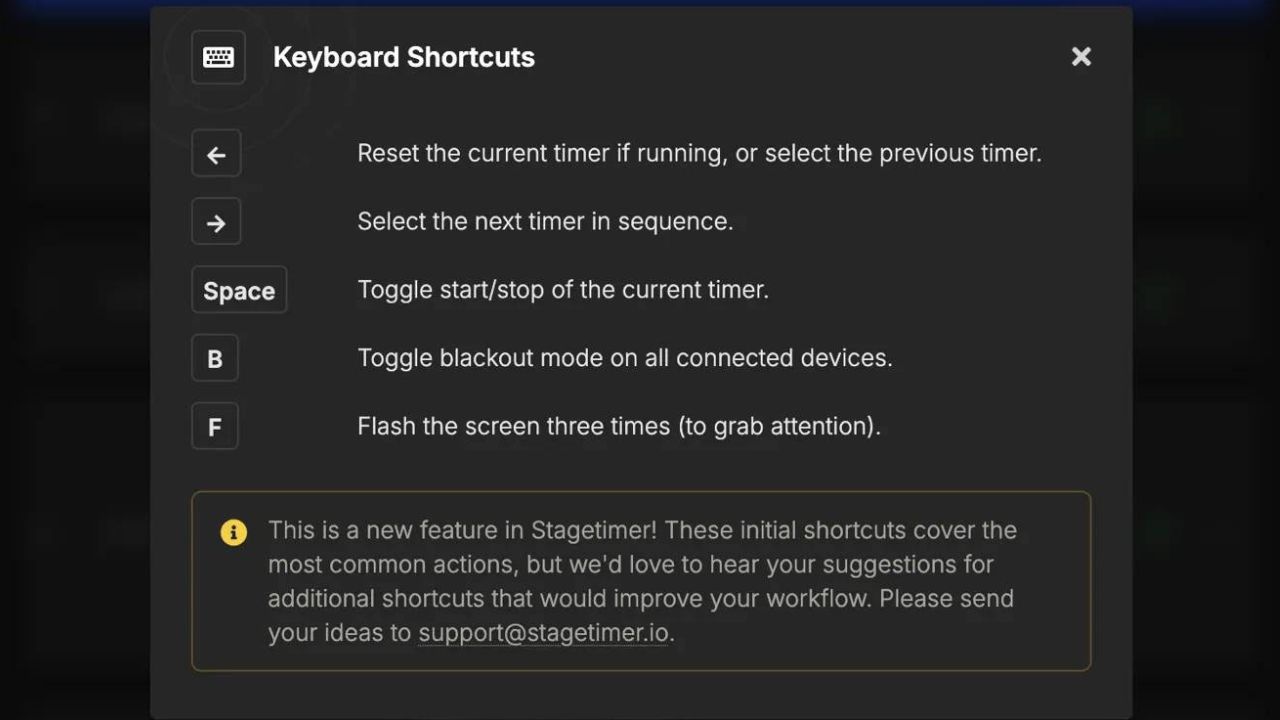
You can now control Stagetimer directly from your keyboard—no more scrambling for your mouse mid-session. Here are the shortcuts you’ll want to memorize (or tape to your monitor):
- ← Reset the current timer (if running) or select the previous timer
- → Select the next timer in sequence
- Space Toggle start/stop of the current timer
- B Toggle blackout mode on all connected devices (great for those “we really need a break” moments)
- F Flash the screen three times to grab attention (because polite hand-waving doesn’t always work)
You can find the complete list anytime by clicking Room → Shortcuts on the Stagetimer controller page.
Why We Love It
We’re big fans of any tool that helps us stay smooth and professional behind the scenes. These new shortcuts mean faster reactions, cleaner transitions, and one less thing to fumble with during a high-pressure show. Bonus: you’ll look like a production ninja while doing it.
Want to Learn More?
We had the pleasure of chatting with Lukas from Stagetimer.io on our podcast about how this tool came to life and why it’s a game-changer for event pros. Check out the episode here: The Brilliant Mind Behind Stagetimer.io.